Table of Contents
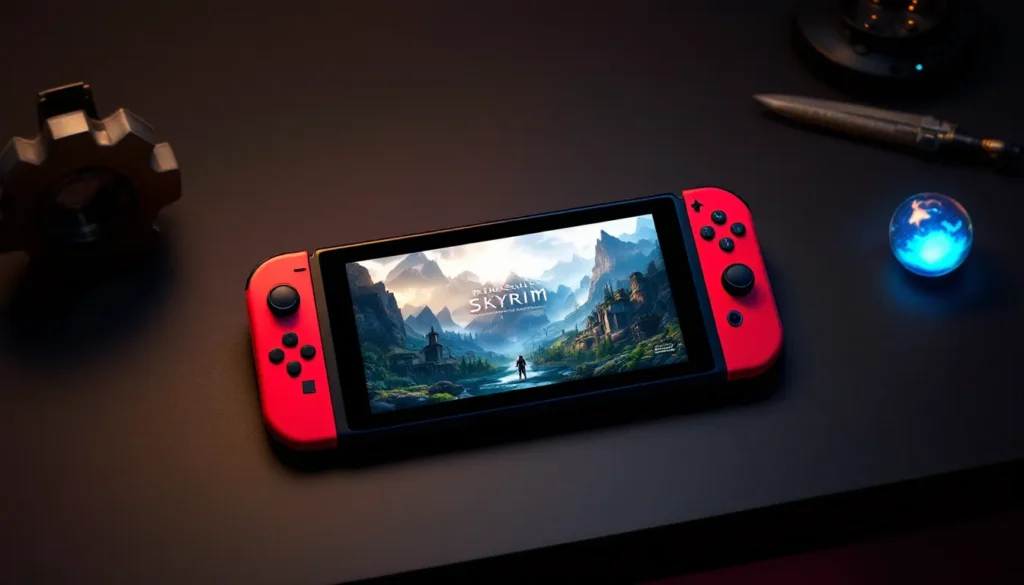
ToggleThe Nintendo Switch version of Skyrim Anniversary Edition has quietly become one of the most compelling reasons to own Nintendo’s hybrid console. Since its release, players have been curious about how well Bethesda’s sprawling fantasy epic translates to portable play, and whether the added content in the Anniversary Edition justifies another trip through Tamriel. Whether you’re returning to Skyrim after years away or experiencing it for the first time on Switch, there’s a lot to unpack about what makes this version unique, and what compromises come with it. This guide breaks down everything you need to know to get the most out of Skyrim Switch Anniversary Edition in 2026.
Key Takeaways
- Skyrim Anniversary Edition on Switch delivers true portability—play this massive RPG anywhere with your hybrid console, making it a legitimate alternative to PC and console versions despite technical trade-offs.
- The Anniversary Edition bundles 74 GB of official Bethesda content including major quest packs like Saints and Seducers, new weapons/armor, spells, and quality-of-life improvements, eliminating the need to purchase DLC separately.
- Storage and graphics matter on Switch: you’ll need a 256 GB microSD card, expect 30 FPS and dynamic resolution (1080p docked, 540p handheld), and longer load times, but the game remains entirely playable and enjoyable.
- Anniversary Edition content adds 100+ hours of gameplay value—main quests take 50+ hours, substantial exploration reaches 100+ hours, and new armor and quest packs encourage multiple playstyles and character builds.
- Skip the Switch version if you prioritize PC modding, cutting-edge graphics, or 60 FPS gameplay; otherwise, buy during sales ($40-50) if you’re a casual player, or pay full price ($59.99) if you plan 100+ hours of play.
- The Anniversary Edition is beginner-friendly and complete out-of-the-box—no separate mod installation or DLC purchases needed—making it the most accessible entry point to Skyrim for new players.
What Is Skyrim Anniversary Edition?
The Anniversary Edition is an enhanced re-release of The Elder Scrolls V: Skyrim that includes the base game plus curated content from the Creation Club. It’s not the same as Skyrim Special Edition (the 2016 upgrade that introduced 64-bit architecture and better graphics). Instead, Anniversary Edition bundles official Bethesda-created mods and new content into one package.
Released on November 11, 2021 for PC, and later ported to console platforms including Switch, the Anniversary Edition gives players access to hundreds of hours of additional quests, weapons, armor, spells, and gameplay tweaks. On Switch specifically, it launched in February 2022.
Key Improvements Over The Base Game
The Anniversary Edition isn’t just a cosmetic refresh. It adds substantial new content that changes how you play:
- New Quest Packs: Missions like “Ghosts of the Tribunal,” “Dead Man’s Dread,” and “Saints and Seducers” introduce fresh storylines with unique rewards. These don’t compete with the main questline, they sit alongside it, giving you genuine new reasons to explore.
- Expanded Arsenal: Dozens of new weapon and armor sets, from daedric to dwarven-inspired designs. Many have unique enchantments or stat distributions that affect your build choices.
- New Magic and Abilities: Additional spells, shouts, and powers that create genuine build variety you won’t find in the base game.
- Quality-Of-Life Tweaks: Features like the ability to rename items, new player homes, fishing mechanics, and survival mode improvements that make the experience smoother.
These additions total around 74 GB of content, though not all of it applies to the Switch version due to storage limitations. Bethesda had to optimize for the Switch’s hardware, which means some Creation Club content is excluded or reduced in scope.
How It Differs From Other Skyrim Versions
There are now multiple ways to play Skyrim, and they’re not all the same:
- Original Skyrim (PS3/Xbox 360): The 2011 launch version. Slower, more frequent crashes, more bugs. If you played this, Anniversary Edition is basically a different game in terms of stability.
- Special Edition (PC/PS4/Xbox One): Released in 2016, this 64-bit rebuild added visual enhancements and mod support (on PC). It doesn’t include Anniversary Edition’s curated Creation Club content by default: you’d buy that separately.
- Switch Anniversary Edition: Optimized for portability but with lower graphical fidelity than PC or newer console versions. Performance dips in dense areas (like Whiterun during a blizzard), but it’s entirely playable.
- VR Edition (PC): A completely different experience, designed for headsets. Not relevant for this guide, but worth noting it exists.
The Switch Anniversary Edition is the most beginner-friendly version because it bundles everything into one purchase. You don’t need to buy DLC separately, and the content is already integrated. But, modding options are completely absent on Switch (unlike the PC and special edition versions), so you’re getting the official Bethesda experience without the ability to customize it further.
Why Switch Players Should Care
If you own a Switch and love RPGs, Skyrim Anniversary Edition checks several boxes that justify the investment. The question isn’t whether the game is good, it demonstrably is, but whether the Switch version delivers the experience you want.
Portability and Convenience
This is the headline feature. You can genuinely play Skyrim anywhere: on your commute, during a lunch break, or while lying in bed. Docking it to your TV transforms it into a traditional console experience. That flexibility is worth real money to a lot of gamers.
The Joy-Con controls work surprisingly well for a game as complex as Skyrim. Button mapping feels intuitive, attack, defend, use magic, and shout all map naturally to the controller layout. The adaptive triggers on newer Joy-Con add subtle haptic feedback when drawing a bow or casting spells, which adds to immersion without being intrusive.
That said, the smaller screen on handheld mode makes reading text harder, especially in menus and when reading in-game books. Many players prefer docked play for extended sessions for this reason.
Performance Expectations On Switch Hardware
Let’s be honest: the Switch is not a powerhouse. It’s aging hardware (launched in 2017), and Skyrim is a graphically demanding game. Bethesda had to make tough choices, and players need to understand what to expect.
Resolution: The game runs at 1080p when docked, but dynamic resolution in handheld mode means it can drop to 540p in demanding scenes. You’ll notice this, especially in areas with lots of objects or NPCs.
Frame Rate: The target is 30 FPS, which is lower than PC or newer console versions (which run 60 FPS). That said, Skyrim’s gameplay rhythm doesn’t demand lightning-fast reflexes in most situations. Combat feels responsive enough, though players used to 60+ FPS will notice the difference.
Pop-In: Objects and enemies render as you approach them more noticeably than on other platforms. This is a trade-off of the technical limitations. It rarely breaks immersion during normal play, but it’s there.
Load Times: They’re longer than on current-gen consoles or PC. Expect 30-45 second load times when entering dungeons or fast-traveling. This is a minor annoyance but something to be aware of.
Even though these constraints, the game is entirely playable and enjoyable. Thousands of Switch players have logged hundreds of hours without major issues. If you’re coming from PC or PS5, you’ll notice the downgrade. If you’re new to Skyrim or coming from an older version, you’ll likely be impressed.
Anniversary Edition Content Breakdown
The Anniversary Edition adds specific content categories. Understanding what’s included helps you plan your playthrough and manage expectations about storage space.
Quest Additions and New Storylines
The Anniversary Edition includes several new quest packs that integrate seamlessly into Skyrim’s world:
- Ghosts of the Tribunal: A Dark Elf-focused questline set in a dead Dunmer settlement. It’s a solid side quest with lore depth and unique rewards.
- Dead Man’s Dread: A pirate-themed quest pack featuring naval combat and treasure hunting.
- Saints and Seducers: A major expansion that adds two new bandit factions with full questlines, new armor sets, and significant combat encounters.
- Gallows Hall: A tutorial-style quest set in an abandoned prison, designed to ease new players into combat.
- Lost Grimoire: Adds new spells and puzzle-based dungeons.
These quests don’t overtake the main story, they’re additions you opt into. Most are mid-length (3-8 hours each) and reward you with unique items and experience. For players seeking expanded adventures, these provide meaningful content rather than throwaway side tasks.
Weapons, Armor, and Equipment Expansions
Anniversary Edition adds substantial new gear:
- Daedric Plate Armor: Heavy, visually striking armor with Daedric lore significance.
- Expanded Crossbow Arsenal: New crossbow types with unique mechanics and crafting recipes.
- Divine Crusader Armor: Tied to Oblivion lore, this is light armor with Crusader styling.
- Arcane Accessories: Cosmetic and functional jewelry with enchantments.
- Expanded Spell Knight Armor: Heavy, Nordic-themed armor for combat mages.
The armor and weapons don’t just add numbers, many have unique enchantments or special effects. A sword might drain stamina or paralyze on hit. Armor might boost specific schools of magic. This creates legitimate build diversity and gives you reasons to experiment beyond your first playthrough.
Total new equipment options number in the dozens. This matters if you care about aesthetics or character roleplay, not just raw stats.
Gameplay Mechanics and Quality-Of-Life Improvements
Some of the best Anniversary Edition additions aren’t flashy:
- Fishing: A legitimate mechanic with specific fishing spots, rare catches, and skill progression. It’s relaxing filler content or a way to earn money.
- Survival Mode Overhaul: Makes the world more demanding, hunger, fatigue, and cold all matter. Inns become refuges, travel becomes tactical. This is optional but genuinely improves immersion for players seeking harder difficulty.
- Item Renaming: Give weapons and armor custom names. Small feature, massive quality-of-life improvement.
- Alternative Armors: Let you customize how armor looks independent of what you’re actually wearing. Cosmetics matter.
- New Player Homes: Additional places to rest and store items, themed around different playstyles (necromancer towers, mercenary hideouts, etc.).
- Spell Knight Armor Integration: Specific armor tied to magic-focused builds, reducing the gap between warriors and mages.
These improvements address annoyances from the base game. You genuinely feel like the developers listened to years of player feedback and incorporated the best community suggestions into an official package.
Getting Started: Installation and Setup
Before diving in, you need to handle logistics. The Anniversary Edition on Switch has specific requirements that differ from other platforms.
Storage Requirements and Download Size
This is critical: Skyrim Anniversary Edition requires approximately 56-60 GB of free storage on your Switch.
The base game alone is about 28 GB. The Anniversary Edition add-ons push it to 56+ GB total. If you’re using the Switch’s internal storage (32 GB or 64 GB model), you need a microSD card. Even the 64 GB model can’t accommodate Skyrim Anniversary Edition plus other games.
Recommendation: Purchase a 256 GB or 512 GB microSD card (around $20-30). This gives you room for Skyrim plus dozens of other games.
Download Time: Expect 2-4 hours on a standard home internet connection (25-100 Mbps). The game downloads post-installation patches separately, so plan accordingly. Don’t start playing immediately after installation finishes, wait for patches to complete.
Digital vs. Physical: The Switch has no physical cartridge for Anniversary Edition. It’s digital-only on Nintendo’s eShop. This means you can’t trade it, resell it, or share it easily. Consider whether you value digital convenience or physical ownership before purchasing.
Setting Up Your First Playthrough
Once installed, the setup process is straightforward:
- Create or Select Your Account: Choose which Nintendo Switch user profile to link. This ties your save data to that account.
- Configure Game Settings: In the main menu, you can adjust difficulty (Adept is the “normal” setting), toggle tutorial prompts, and adjust subtitle size and font.
- Enable Anniversary Edition Content: The new content is bundled automatically, but some players don’t notice it’s active. Open the “Creation Club Content” menu (accessible from the main menu or in-game) to verify additions are enabled. You can toggle specific packs on/off if you want to customize.
- Manage Save Slots: The game defaults to auto-save and quick-save. Consider using manual save slots to avoid accidentally overwriting progress.
- Adjust Difficulty: If you’re new to Skyrim, Adept (default) is a good starting point. Legendary difficulty is punishing: Novice is trivial. You can change difficulty mid-playthrough if needed.
For Switch players specifically: Enable the HUD scaling option if you’re playing in handheld mode. This makes text and UI elements larger and easier to read on the smaller screen.
One more tip: The game auto-saves when you sleep or enter new areas, but players planning New Game Plus runs should manually save frequently to ensure they don’t lose progress during the 30+ hour initial playthrough.
Essential Tips for Switch Players
Skyrim Anniversary Edition on Switch is solid, but a few tweaks and workarounds make the experience smoother.
Optimizing Graphics and Performance Settings
The Switch’s graphics settings are limited compared to PC, but you still have options:
- Resolution Mode vs. Performance Mode: Some newer patches added this toggle. Performance Mode locks to 30 FPS with lower resolution: Resolution Mode maintains docked 1080p but may have less stable frame pacing. Most players prefer Resolution Mode for the sharper image, accepting occasional frame dips.
- Motion Controls: Disabled by default. For aiming bows and spells, motion controls are genuinely helpful but feel different. Try enabling them in a low-stakes area (practice on enemies) before committing to a full playthrough.
- Brightness Adjustment: Skyrim’s interiors can be dark, especially in caves and dungeons. Increasing brightness in the display settings helps. Some players also increase gamma in-game.
- FOV (Field of View): The default feels zoomed-in on Switch. Unfortunately, the FOV slider is limited compared to other platforms. This is a hardware trade-off you can’t fully circumvent.
Realistic expectation: You won’t achieve the visual fidelity of PC or PS5. But at 30 FPS with proper settings, Skyrim looks respectable and plays smoothly during most encounters.
Best Mods and Additions to Enhance Your Experience
Unfortunately, the Switch version doesn’t support mods. This is a major limitation compared to PC and Special Edition, which have robust modding communities. You’re locked into the official Bethesda creation club content that comes pre-installed.
Instead, maximize Anniversary Edition content you already have:
- Enable All Creation Club Packs: Go through the Content menu and activate any content you haven’t used yet. Some packs are experimental: try them all.
- Use Survival Mode: If you want a harder, more immersive experience, enable Survival Mode mid-playthrough. It fundamentally changes how you interact with the world (hunger, fatigue, cold are all factors).
- Experiment with Difficulty Settings: Don’t lock yourself to one difficulty. If Adept feels too easy, jump to Veteran or Legendary. The game scales difficulty scaling well, and you can change mid-playthrough.
- Try Different Playstyles: The expanded armor and weapon sets encourage experimentation. Instead of playing a pure warrior, try mixing spell-casting with heavy armor using the new Divine Crusader or Spell Knight gear.
Since mods aren’t available, the Anniversary Edition content is your enhancement layer. Use it.
Common Issues and How to Fix Them
Switch players report a few recurring problems. Here’s how to address them:
Issue: Crashes or Freezing
- Cause: Usually occurs in heavily populated areas (Whiterun during peak times) or after extended play sessions.
- Fix: Restart the game every 3-4 hours. Avoid saving in populated areas during intense weather. Manage your mod list (even though the Switch doesn’t have user mods, the creation club content counts toward the load limit).
Issue: Save Corruption
- Cause: This is rare on Switch but can happen if you power-off during saves or fill your storage completely.
- Fix: Always use manual saves in separate slots. Never overwrite your only save file. Maintain at least 5 GB of free storage on your microSD card.
Issue: Slow Loading Times
- Cause: The microSD card speed matters. Slower cards cause longer loads.
- Fix: Use a high-speed UHS-II microSD card (read speed 90+ MB/s). For comparison, a quality card makes a noticeable difference.
Issue: Screen Text Readiness in Handheld Mode
- Cause: The default font is too small for portable play.
- Fix: Increase HUD scaling and enable subtitles for dialogue. Use the font enlargement settings in accessibility options.
Issue: Joy-Con Drift Affecting Combat
- Cause: Joy-Con drift (a hardware issue with Nintendo’s controllers) makes aiming unpredictable.
- Fix: Recalibrate Joy-Con in Settings > Controllers > Calibrate. If that doesn’t work, you’ll need to repair or replace them. This is a Switch hardware problem, not a Skyrim issue.
Most of these are minor annoyances rather than deal-breakers. Thousands of Switch players have completed Skyrim Anniversary Edition without encountering major problems.
Is It Worth Your Money?
The million-septim question: should you buy Skyrim Anniversary Edition on Switch in 2026?
Price Comparison and Value Proposition
Skyrim Anniversary Edition costs $59.99 on the Switch eShop (as of early 2026), though it occasionally drops to $47.99 during sales.
Comparison:
- Switch Anniversary Edition: $59.99 (frequently on sale for $40-50).
- PC Special Edition: Usually $39.99, with free mods available. Total content library is deeper due to the modding community.
- PS5/Xbox Series X Version: $59.99, with better graphics and faster loading.
- PC Game Pass: Includes Skyrim: if you have Game Pass, it’s “free” (included in subscription).
Value calculation: 50+ hours for main quest completion, 100+ hours for substantial exploration, 200+ hours for completionists. That’s roughly $0.30-0.60 per hour of entertainment. Most players consider that excellent value, better than cinema, concerts, or most hobbies.
Anniversary Edition specifically adds 74 GB of official content. Not all of it is essential, but Saints and Seducers alone (a major questline) is worth 10+ hours and significant rewards. Other packs add 5-15 hours each, depending on playstyle.
If you already owned the base Skyrim on Switch, the Anniversary Edition upgrade costs $19.99 to add the new content. That’s a steeper value proposition for existing players, though completionists typically find the new gear and quests justify it.
Who Should Buy This Version
Buy Skyrim Anniversary Edition on Switch if:
- You own a Switch and want a massive RPG that’s portable. This is the strongest reason.
- You’ve never played Skyrim and want everything in one purchase. Anniversary Edition is beginner-friendly and includes all official additions.
- You prefer controller gaming and don’t want to deal with PC setups.
- You want a relaxing, single-player experience you can pause whenever (the Switch flexibility matters here).
- You value convenience over graphical perfection. The Switch version is playable and enjoyable, even if not cutting-edge.
Skip this version if:
- You own a PC and want mods. PC Skyrim Special Edition + modding community is objectively deeper. Thousands of community-created mods fundamentally transform the game.
- You only game on PS5 or Xbox Series X and want maximum graphics/performance. Those versions are superior technically.
- You despise 30 FPS gameplay. If you’re spoiled by 60+ FPS, the Switch version will feel sluggish.
- You have severe storage limitations and can’t accommodate a 56+ GB game.
- You’re on a tight budget and can wait. Sales happen quarterly: you can grab it for $40-45 instead of full price.
For the right player, someone who values portability and wants a complete RPG experience without complications, Skyrim Anniversary Edition on Switch is an easy recommendation. It’s not the “best” version (PC modded or PS5 technically dominate), but it’s the best version for portable play, and that’s a legitimate and growing use case in 2026.
Final verdict: If you own a Switch and haven’t played Skyrim, this is genuinely one of the best RPGs on the platform. The Anniversary Edition content justifies the $59.99 price if you’re planning to spend 100+ hours. If you’re casual (20-40 hour player), wait for a sale and grab it at $40-45. The content doesn’t go away: sales are frequent.
Conclusion
Skyrim Anniversary Edition on Switch in 2026 remains a compelling option for players seeking an expansive RPG that travels with them. The Anniversary Edition’s curated content, new quests like Saints and Seducers, expanded armor and weapon arsenals, and quality-of-life improvements, transforms what was already a massive game into something deeper and more rewarding.
The Switch version makes legitimate trade-offs: 30 FPS instead of 60, lower resolution, longer load times, and no modding. But it gains something PC and console players don’t have, the ability to play Skyrim on a train, in bed, or anywhere else. For many gamers, that flexibility outweighs the technical compromises.
If you’re deciding whether to buy, ask yourself this: Do you value portability and a complete out-of-the-box experience? If yes, pull the trigger, ideally when a sale brings the price down to $40-50. Do you want cutting-edge graphics and heavy modding? Skip the Switch version and pursue PC instead.
Skyrim Anniversary Edition on Switch isn’t the definitive version of the game. It is, but, an excellent version for a specific use case, and it’s one that’s only grown more relevant as the Switch’s library has matured and gaming culture has embraced handheld as a legitimate way to play major titles. At this point in the Switch’s lifecycle, Skyrim Anniversary Edition remains essential for RPG fans who want the most comprehensive experience the portable platform can deliver.